
This is a guide on how to create a whois handle in the registrar portal.
It is only a portal user with the attached role Registrar that can create a whois handle.
1. Log on the registrar portal . Choose WHOIS SEARCH
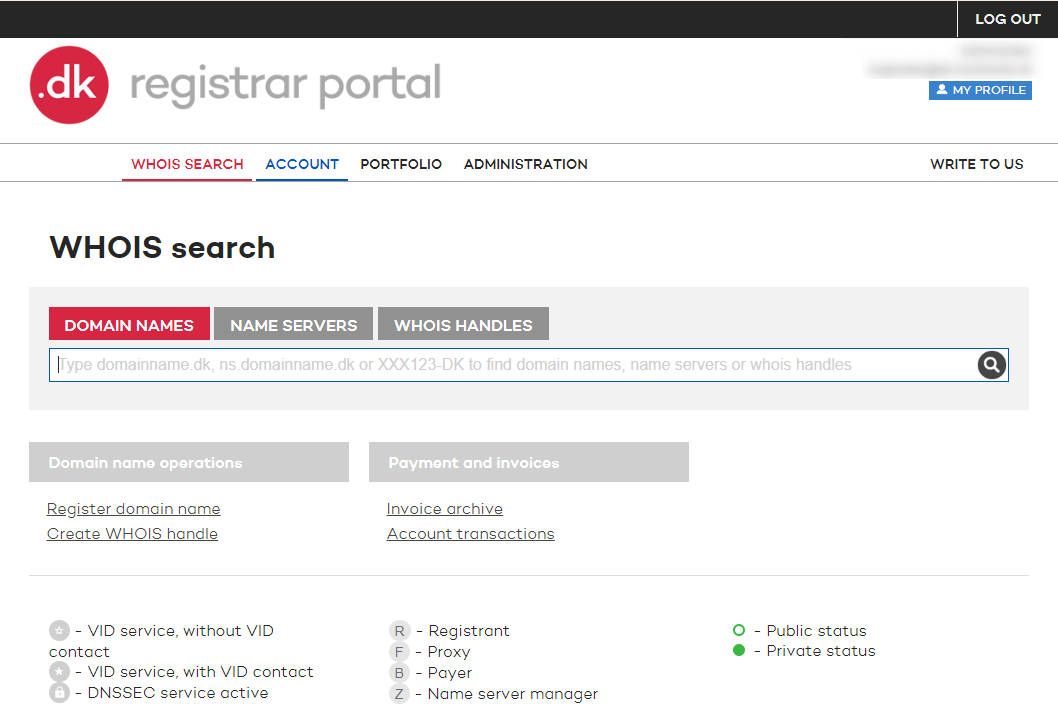
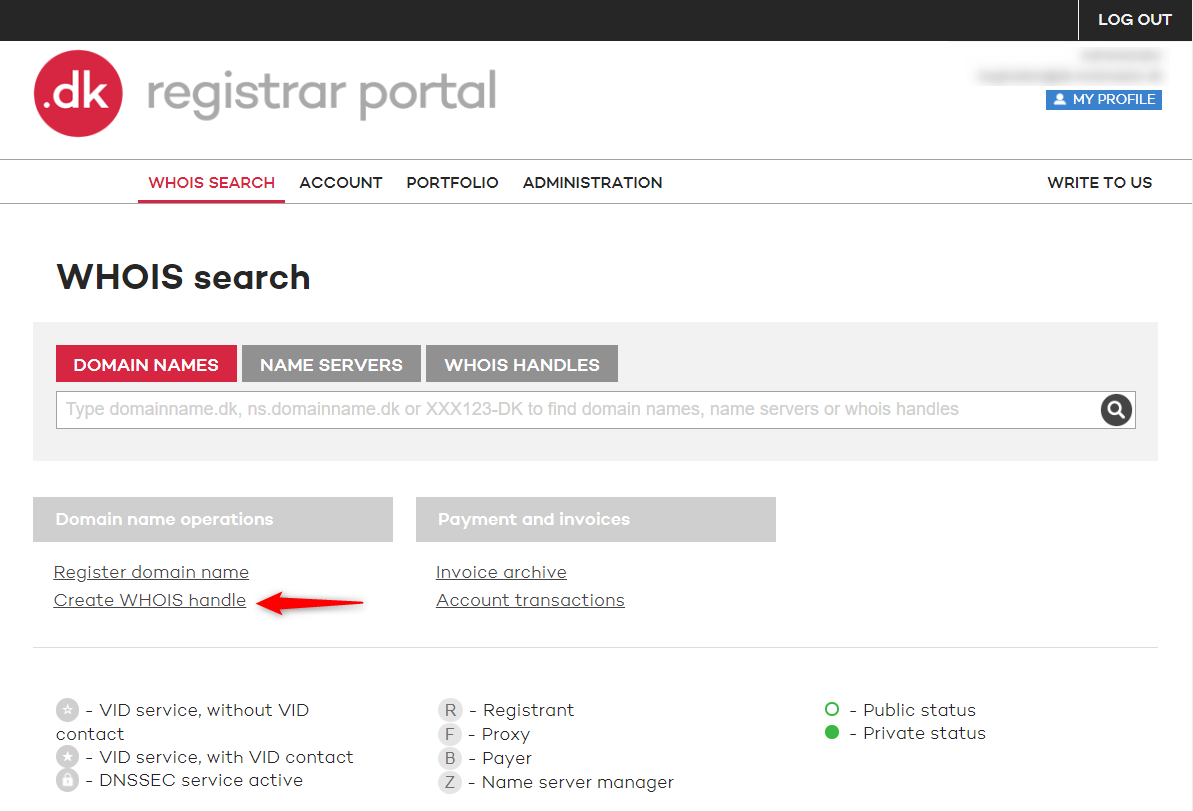
2. Under Domain name operations, click Create WHOIS handle.
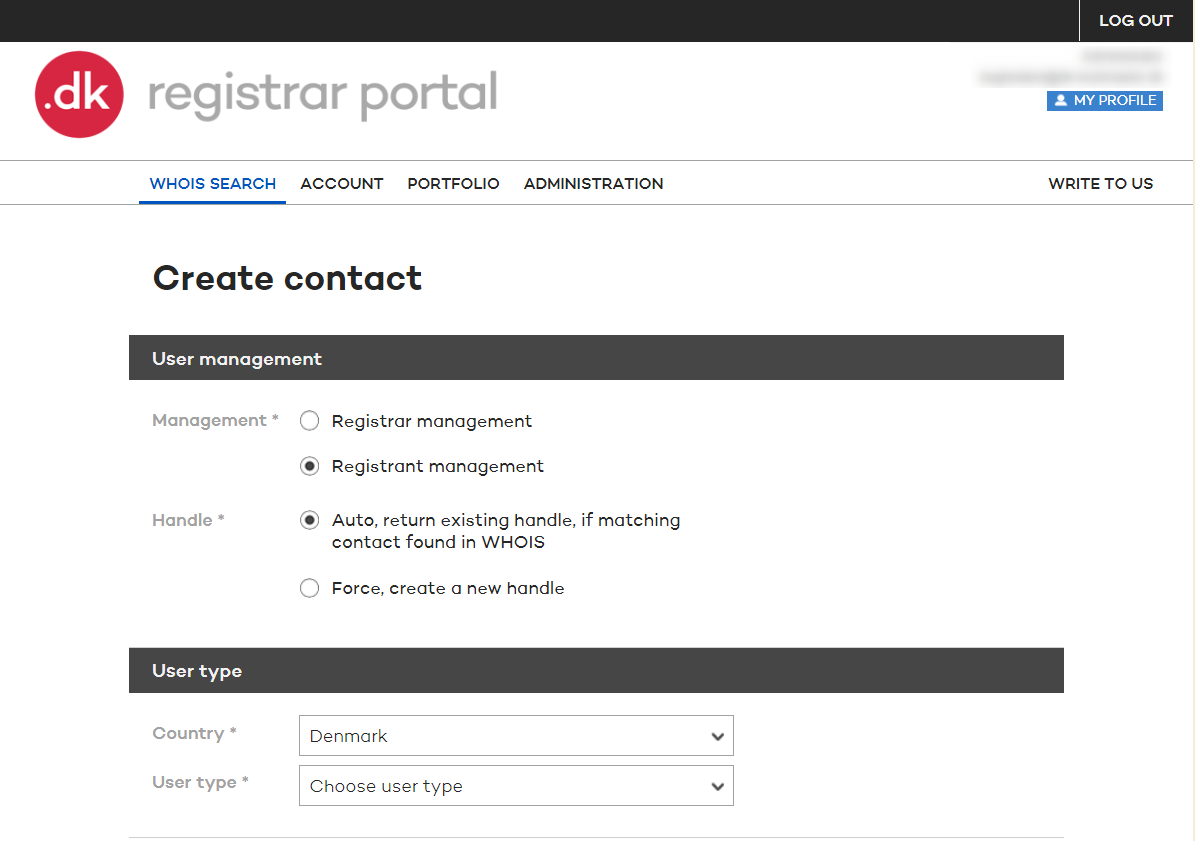
3. You are now on Create contact and you can choose the setup of the handle.
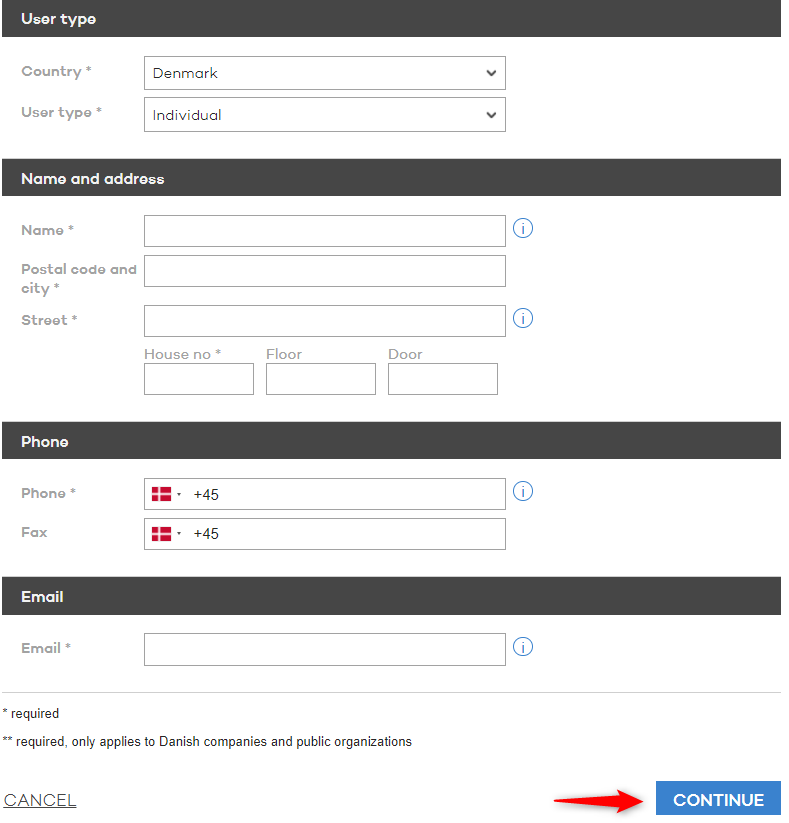
4. You can now fill out the contact information and click on CONTINUE.
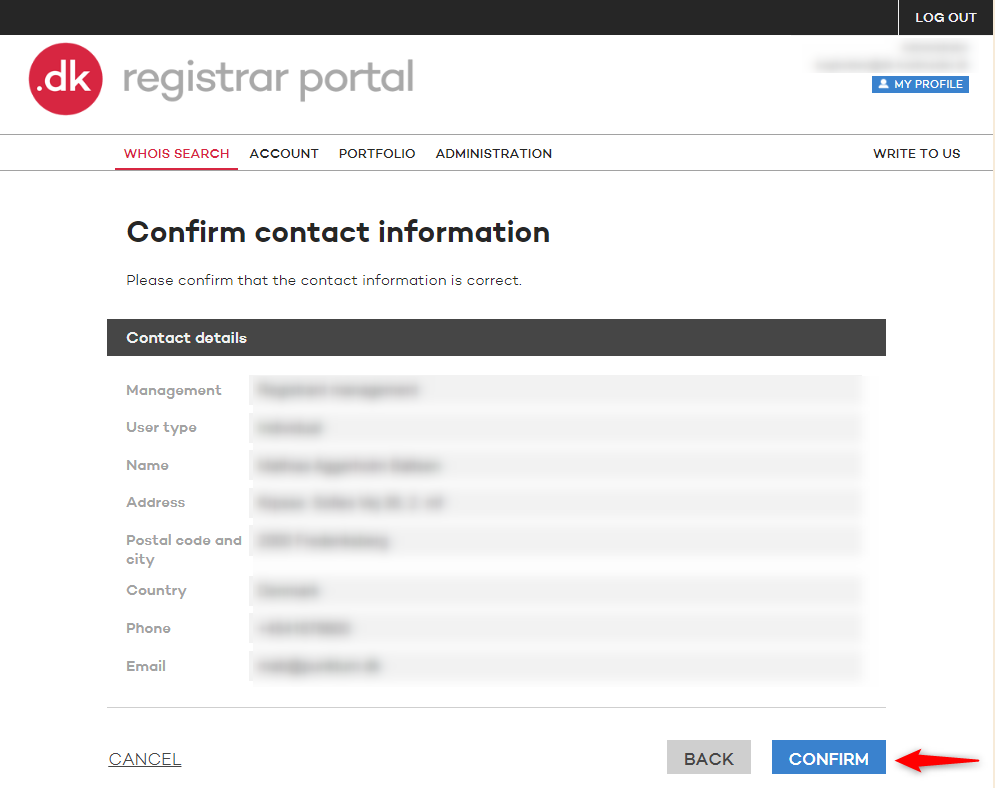
5. Please review the contact information and click on CONFIRM to create the handle.
Thank you for your reply
- we are happy about that.
Hmmm, not good...
We will help you - write us.
Did you find the answer useful?
If you still have questions, we are ready to help!