
This is a guide on how to manage DNSSEC on domain names which are under your registrar management or is registered on your name servers.
Please notice:
- It is only portal users with the attached role Name server manager that can manage DNSSEC on a domain name.
- The name server handle needs to be linked to the registrar portal, if the domain names isn’t under registrar management.
1. Log on the registrar portal. If you have the correct role, clik on Whois search.
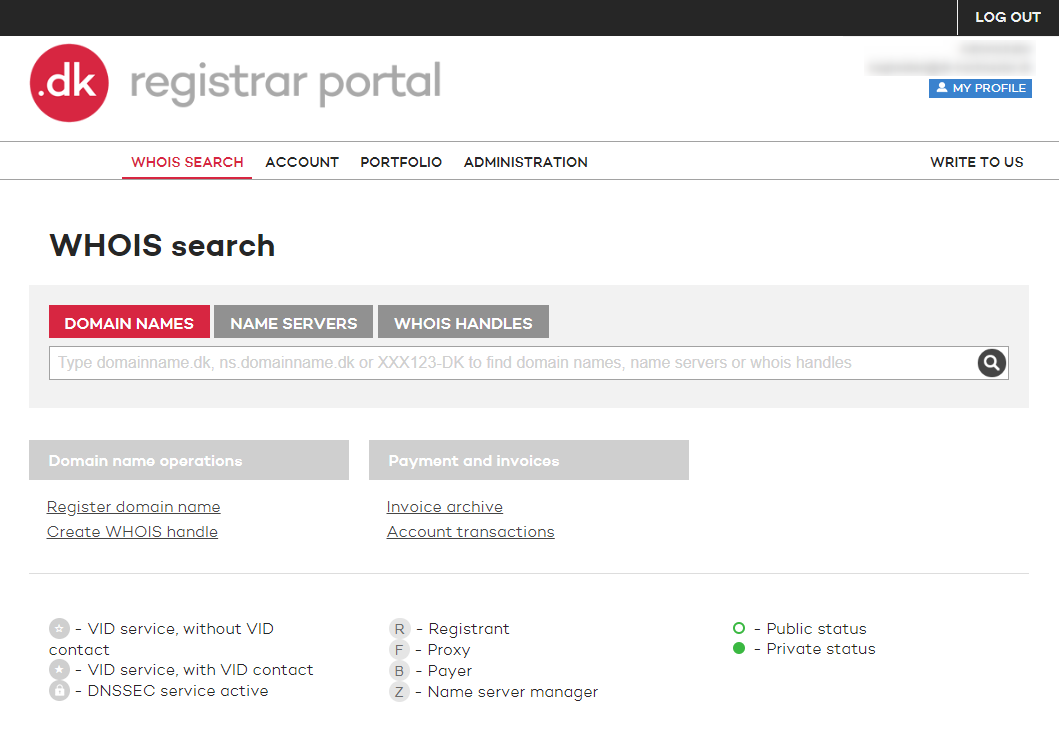
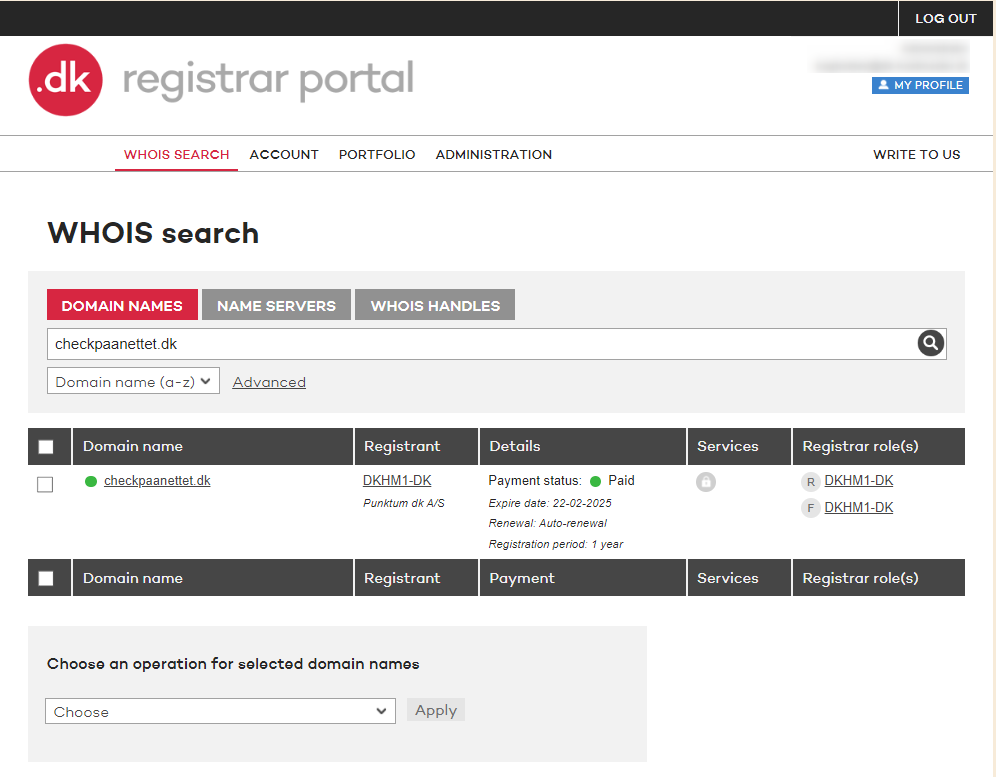
2. Under Whois search you can search on domain names, name servers or whois handles. Enter the domain name under the search filter Domain names on which you want to manage DNSSEC for.
Click on the domain name.
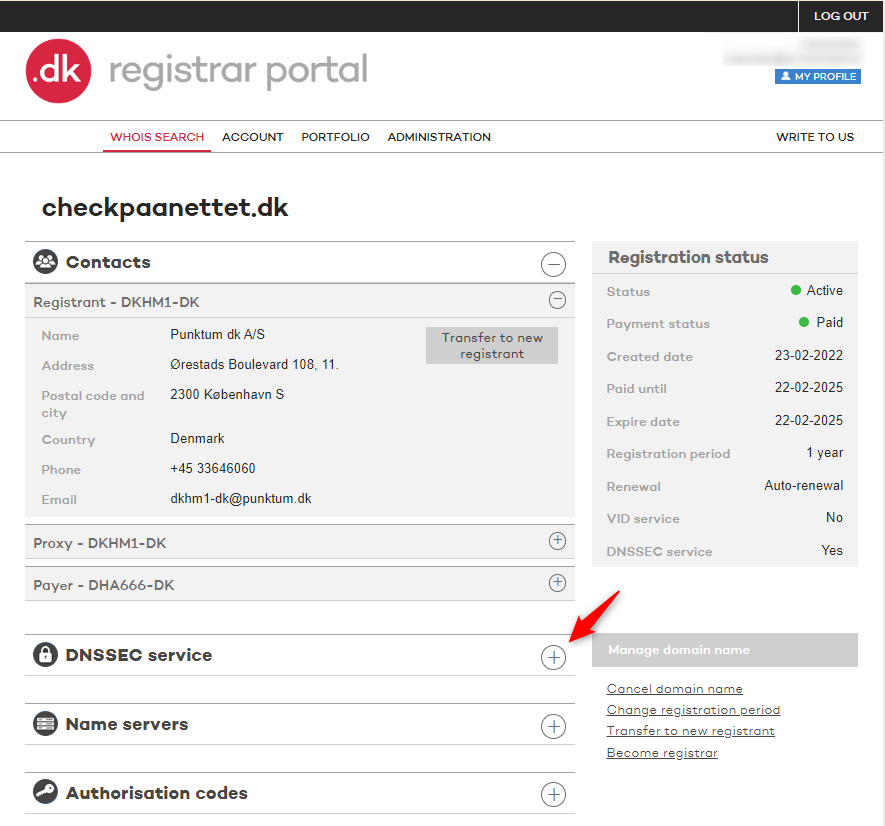
3. You now have a overview of the registration data for the specific domain name. In the left middle side there will be listed all the allowed changes regarding the domain names DNS settings.
Click on DNSSEC service.
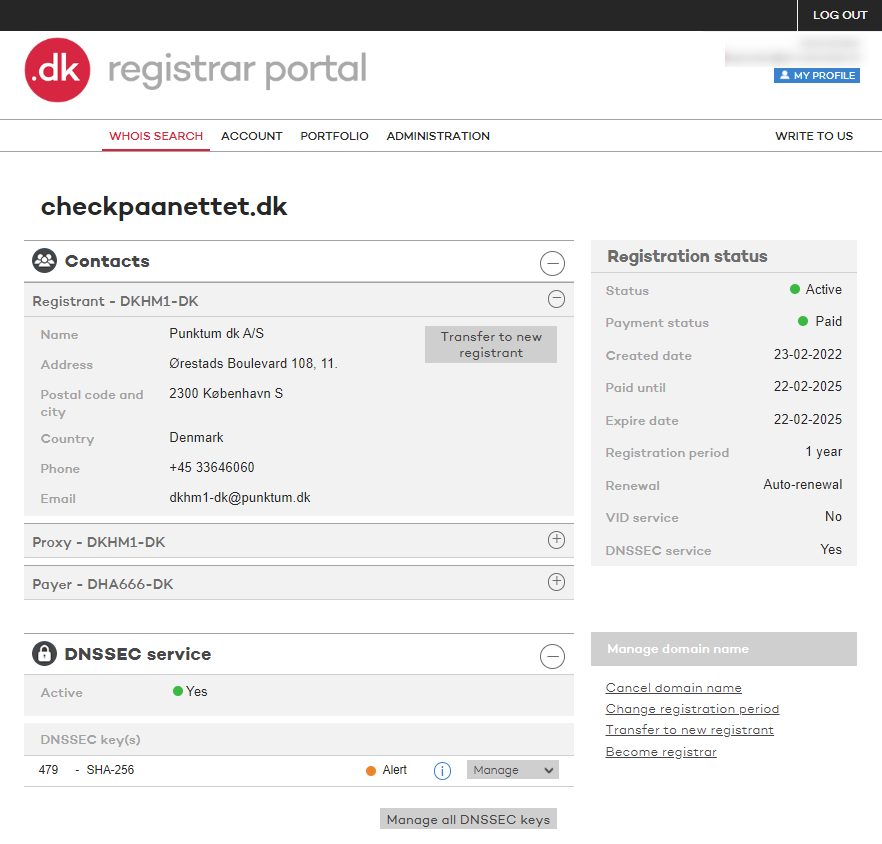
4. If the domain name already has a DNSSEC key attached it will be displaced and you can perform a change by clicking on Manage.
You will then be given the options: Delete DNSSEC key(s), Add DNSSEC key or Import DNSSEC key(s)
Tak for det
- det er vi glade for at høre.
Hmmm, det var ikke så godt
- skriv til os
Fandt du svaret nyttigt?
Hvis du stadig har spørgsmål er vi klar til at hjælpe!