
You can easily generate an authorization code (AuthID/EPP code) via our self-service portal, which you can then provide to your registrar.
Here's how to do it:
Step 1
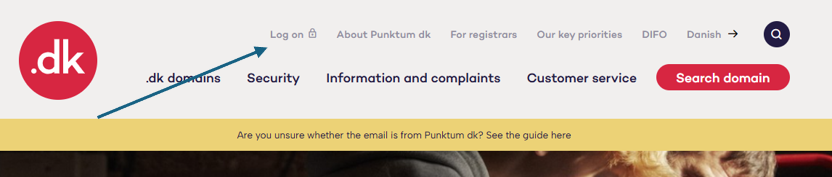
Go to self-service.punktum.dk and log on.
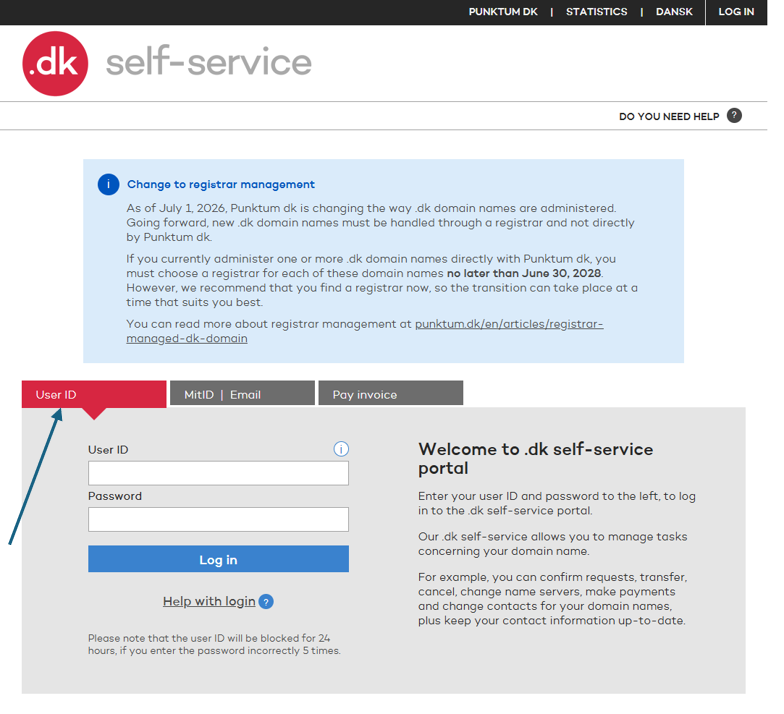
Choose a login method: User ID, MitID, or email.
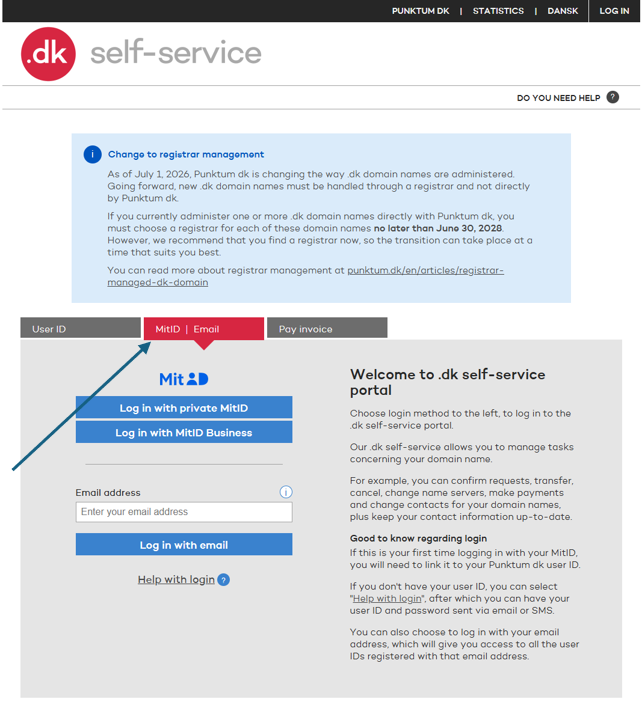
Log in with MitID or your email address.
If you have forgotten your login details or password, get help here.
Step 2
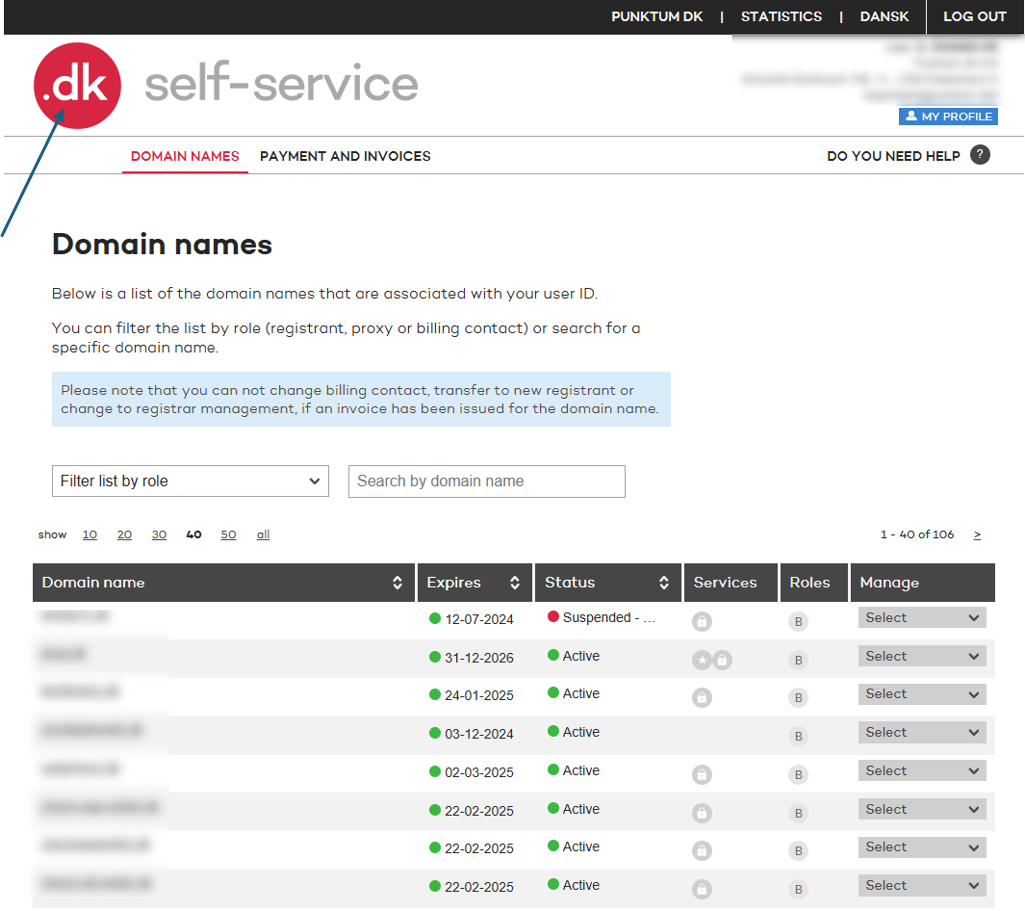
Click the red .dk logo in the top-left corner.
Step 3
Click “Select” under “Manage” on the right, then choose “Change to registrar management.”
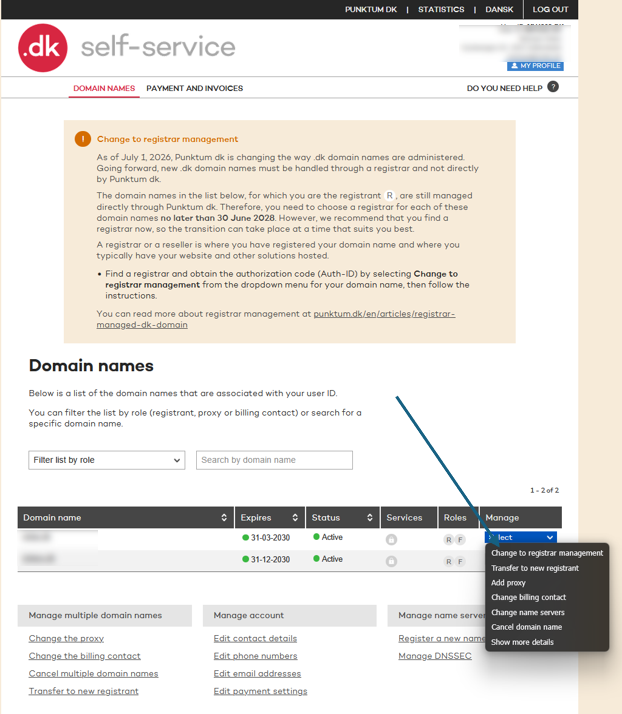
Step 4
Once you have selected “Change to registrar management” in Step 3, you will be taken to one of two pages about switching to a registrar.
In many cases, the registrar you already use for services such as domain hosting and/or website hosting will be displayed.
- You will often be taken to the page shown below, where your current registrar’s details have already been filled in. If this is not the page you see, you will see the alternative page instead.
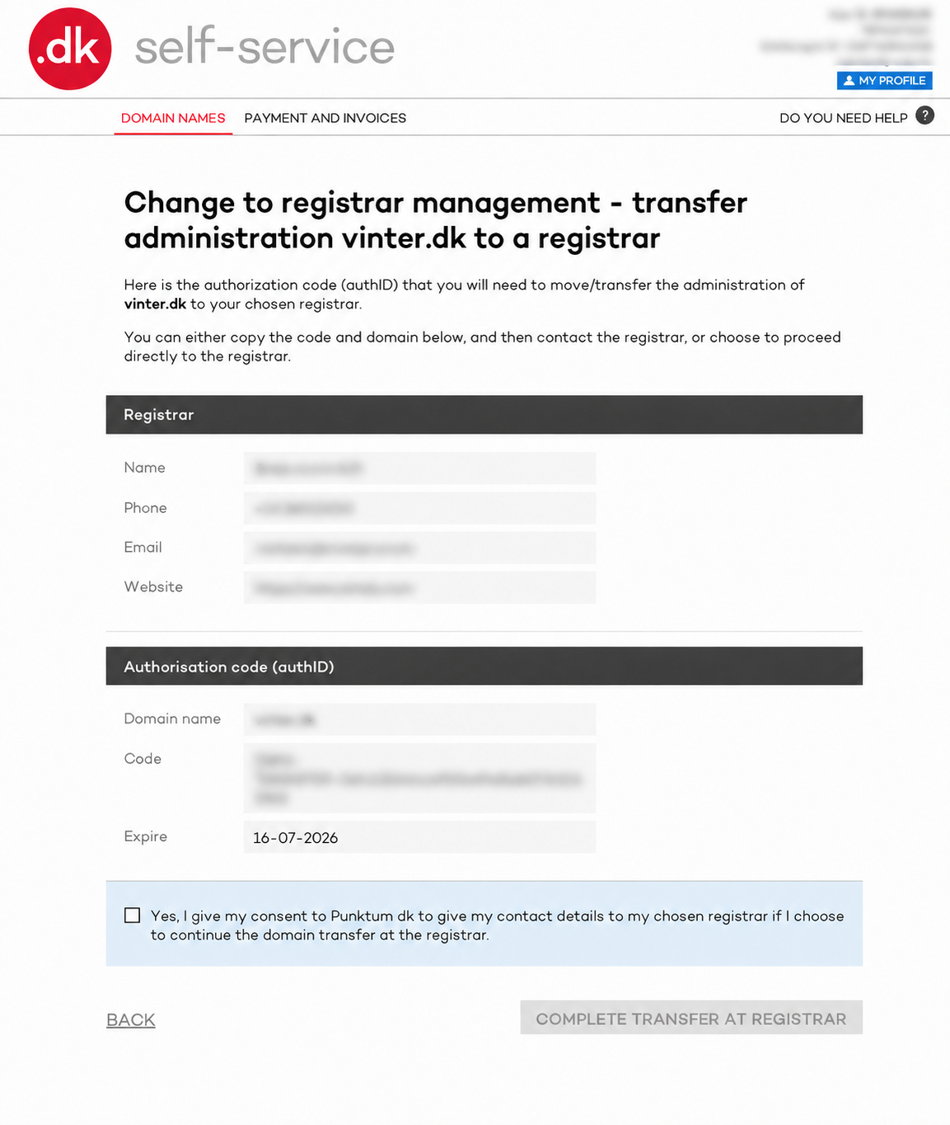
To use the existing registrar, tick “Yes, I understand that...” and click “Complete transfer to registrar.”
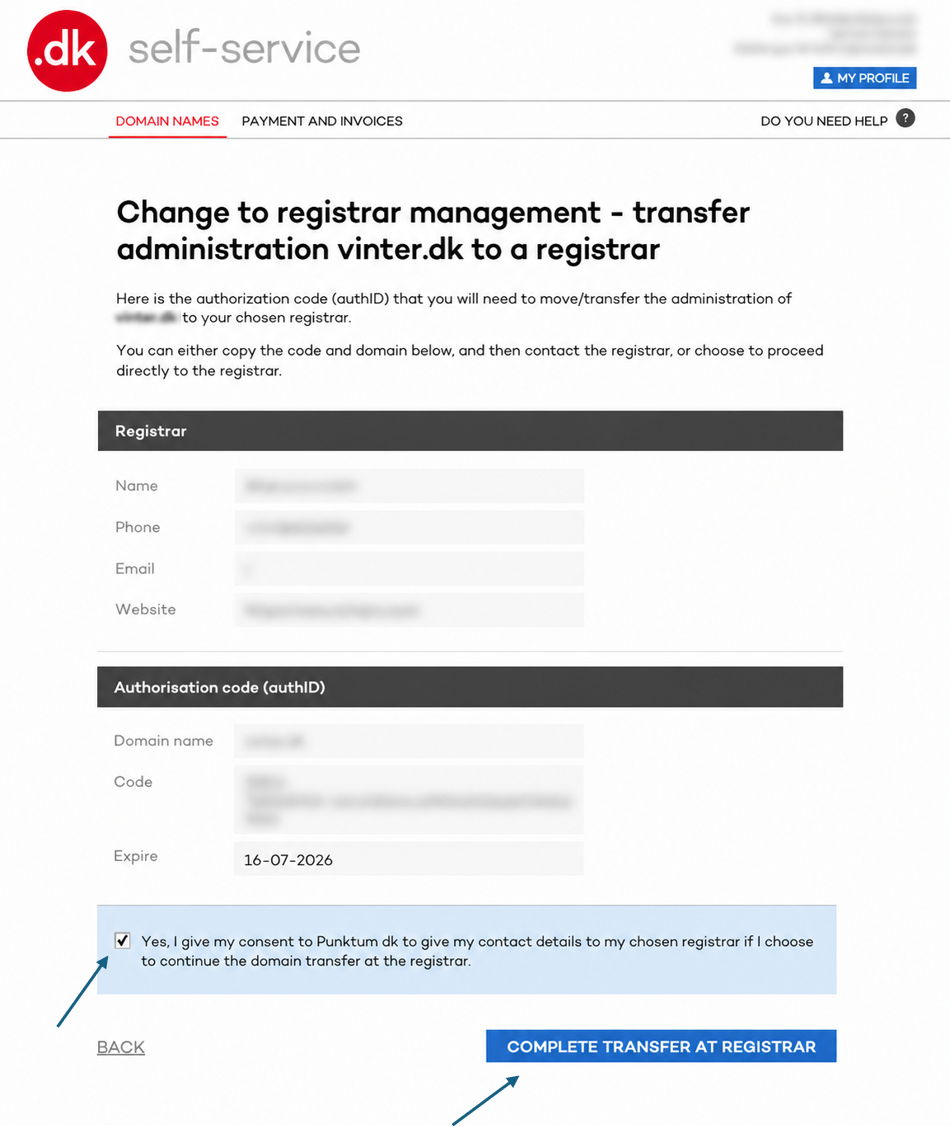
You have now transferred your domain from Punktum dk to your chosen registrar. Repeat this process for all your domains.
To choose a different registrar from the one displayed, select one from the registrar list further down the page.
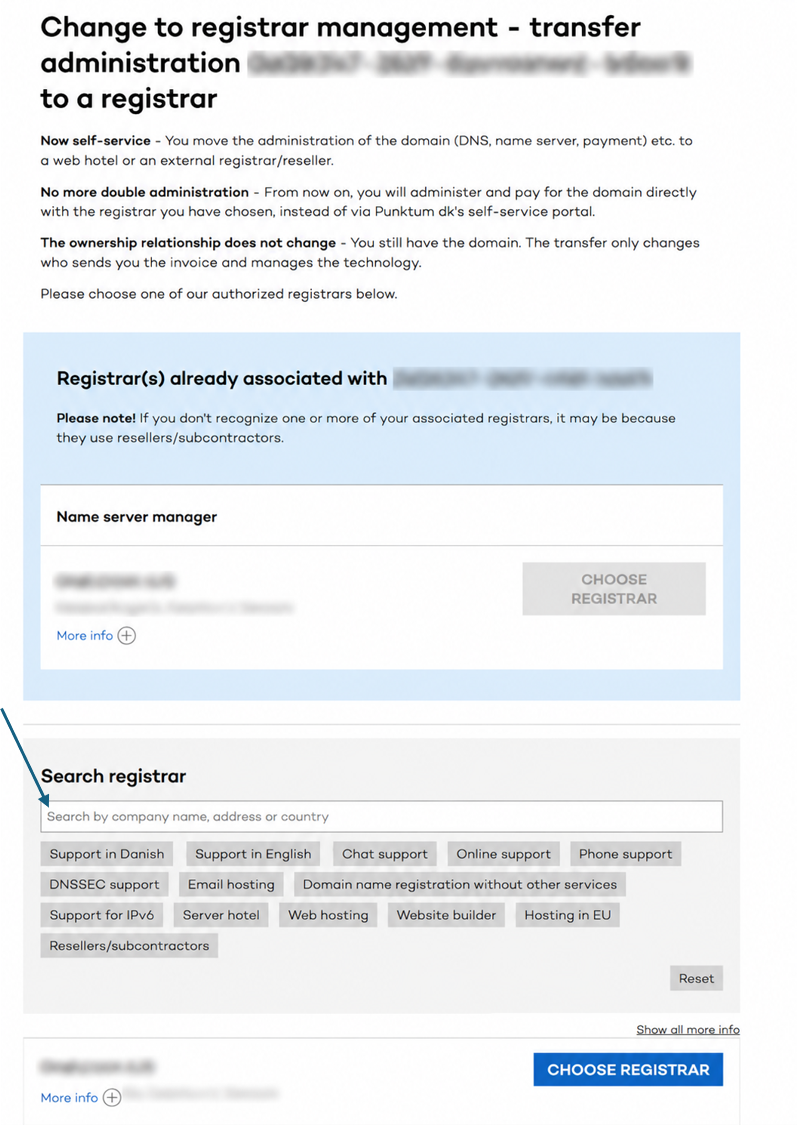
In other cases, you will be taken to a different page where you must generate an Auth ID code and provide it to the registrar.
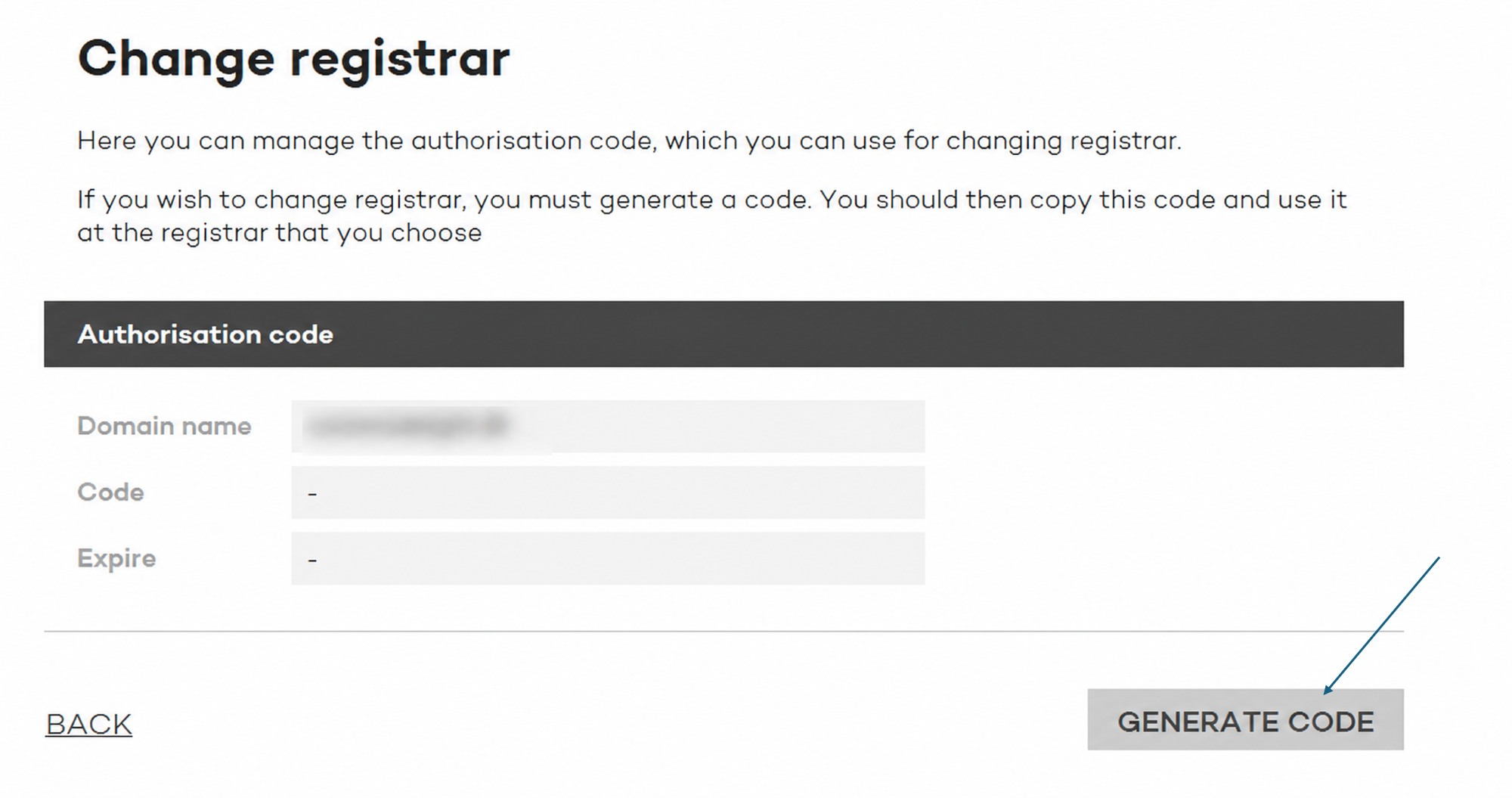
Once you have selected “Change to registrar management” in Step 3, you will be taken to a page where you can generate the code.
Click “Generate code.”
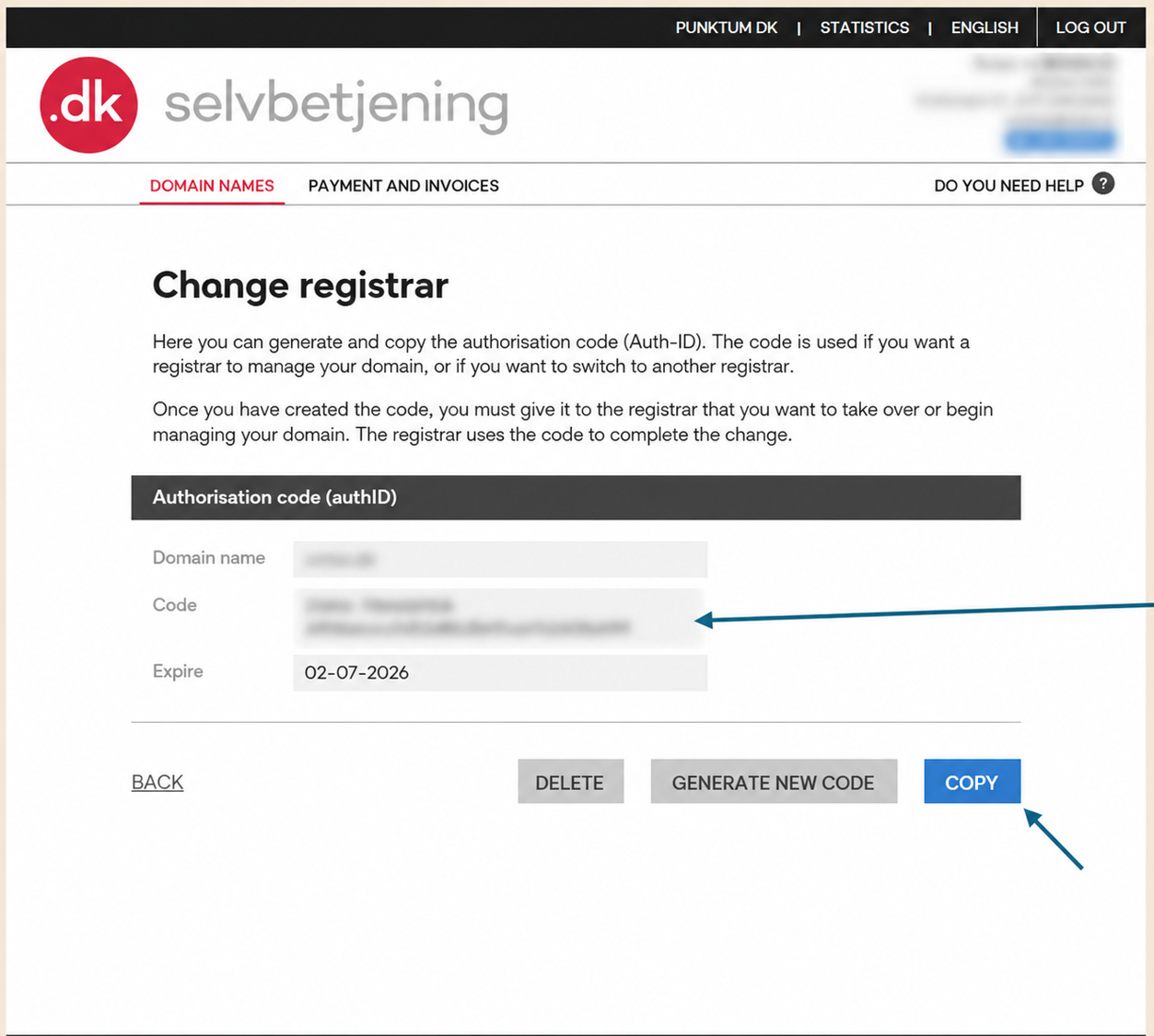
Then copy the code and provide it to the registrar that will manage your domain from now on.
Please note that an Auth ID cannot be generated if the domain has been invoiced or locked, for example due to bankruptcy, liquidation, a merger, or the administration of a deceased estate.
Thank you for your reply
- we are happy about that.
Hmmm, not good...
We will help you - write us.
Did you find the answer useful?
If you still have questions, we are ready to help!