
Last updated: 22 October 2026
We are currently seeing a large number of fraudulent emails about the suspension and billing of .dk domain names. Scammers may also have copied our website to make both the email and the website look convincing.
Is the message from Punktum dk?
Always check the attached invoice.
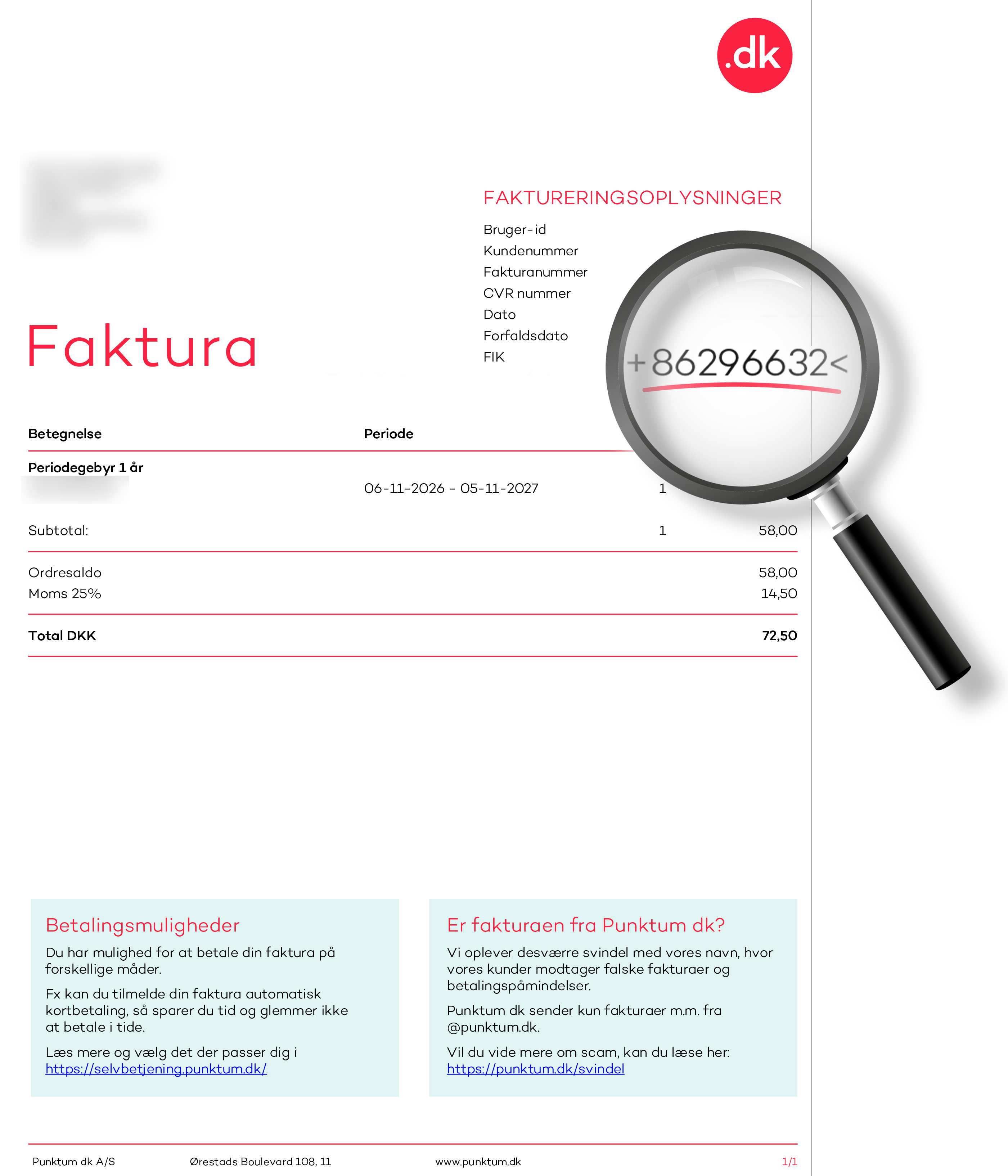
Whenever we send a payment request via e-Boks or email, an invoice is always attached. The invoice shows our creditor number, 86296632, displayed as +86296632<.
If no invoice is attached, the payment request is not from us. If an invoice is attached, always check that the creditor number matches ours. If it does not match, do not pay.
If the email directs you to an online payment page, it is a scam. Do not click on the link or enter your payment details.
Below is a genuine invoice from Punktum dk with our creditor number highlighted.
Two other things you can check
Scammers can make both emails and invoices look genuine. Our invoice emails are sent from noreply@punktum.dk, but the sender address can also be forged. You therefore cannot determine whether a message is genuine based solely on its appearance and sender address.
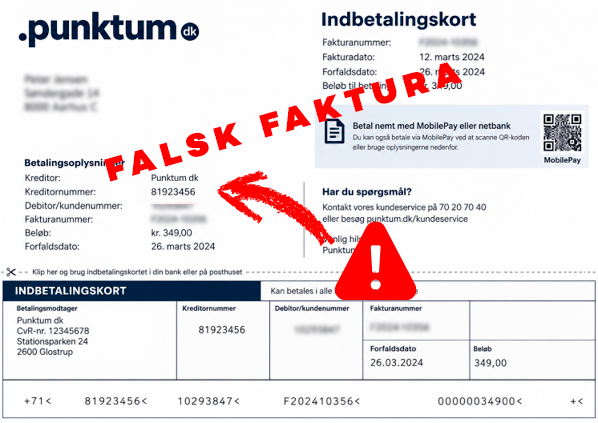
Below is a fraudulent payment slip with a creditor number that does not belong to Punktum dk.
Unsure? Check the invoice in our self-service portal
Go directly to selvbetjening.punktum.dk and log in. Under Payments and invoices, you can find your invoices and check whether the payment request is from us.
Do not use links or payment details from the suspicious email.
How can I tell if an email is fraudulent?
Our invoice emails are always sent from noreply@punktum.dk. However, scammers can send phishing emails that appear to come from Punktum dk. Sometimes they use email addresses or domain names that resemble ours. In other cases, the sender address may be forged to make the email appear to come from an address ending in @punktum.dk.
Unsure about an email?
- Do not click on links or make payments through the email.
- Do not reply to the email.
- Go directly to the .dk self-service portal.
- Log in and check the status of your domain name and payments.
- Forward the suspicious email to svindel@punktum.dk.
You can also copy the address of a suspicious link without opening it and check it on Tjekpånettet.dk.
Please note that a link-checking service cannot provide a complete guarantee. A new scam link may not yet be known to the service and may therefore not be flagged as dangerous.
Three quick checks:
- Check the sender address carefully, but remember that it may be forged.
- Hover over links without clicking to check whether the URL actually points to punktum.dk.
- Be wary of messages that pressure you to act quickly, such as “pay within 24 hours” or “your domain will be suspended today”.
We also send surveys from email addresses ending in @relationmonitor.com.
Examples of domains seen in phishing emails
@domaincenternoreply.dk
@mail.photoceramics-center.com
@svindelpunktum.dk
@domainregisters.dk
@noreplydominregister.dk
@autoconfig.xenovation.com
@edit-faktora.atlassian.net
@soleblu.bellabeauty.it
@2025.xenovation.com
@library.xenovation.com
@dummy.xenovation.com
@preprod.xenovation.com
@speedtest.xenovation.com
@recruiting.xenovation.com
@2018.xenovation.com
@test.datenschutz-grundverordnung.eu
@besor.codeburstpro.com
@partner.verifier.su
@theouterinn.retro-os.live
@4sofia.fun
@newlookconsultancy.com
@demo.asgiripirivena.lk
@sender.zohobooks.com
@kulhusekro.atlassian.net
@hubspotfree.eu1.hs-send.com
@nimbusnepal.com
@bityclips.com
@mailproxy.zohodeluge.com
@thecustomerfactorr.net
@robotique.tn
@mailling.lot.com
@punktum.in
@amian-louis.atlassian.net
@painteco.co.uk
@summersetdestinations.com
@updatee.atlassian.net
@punktum.com
@paysafe.dk
@uni-erfurt.de
@saphe-premium.atlassian.net
@saphe-dk-kundeservice.atlassian.net
@saphe-punkt.atlassian.net
@amian-louis.atlassian.net
Please note that the email addresses above may have been used without the domain registrant’s knowledge.
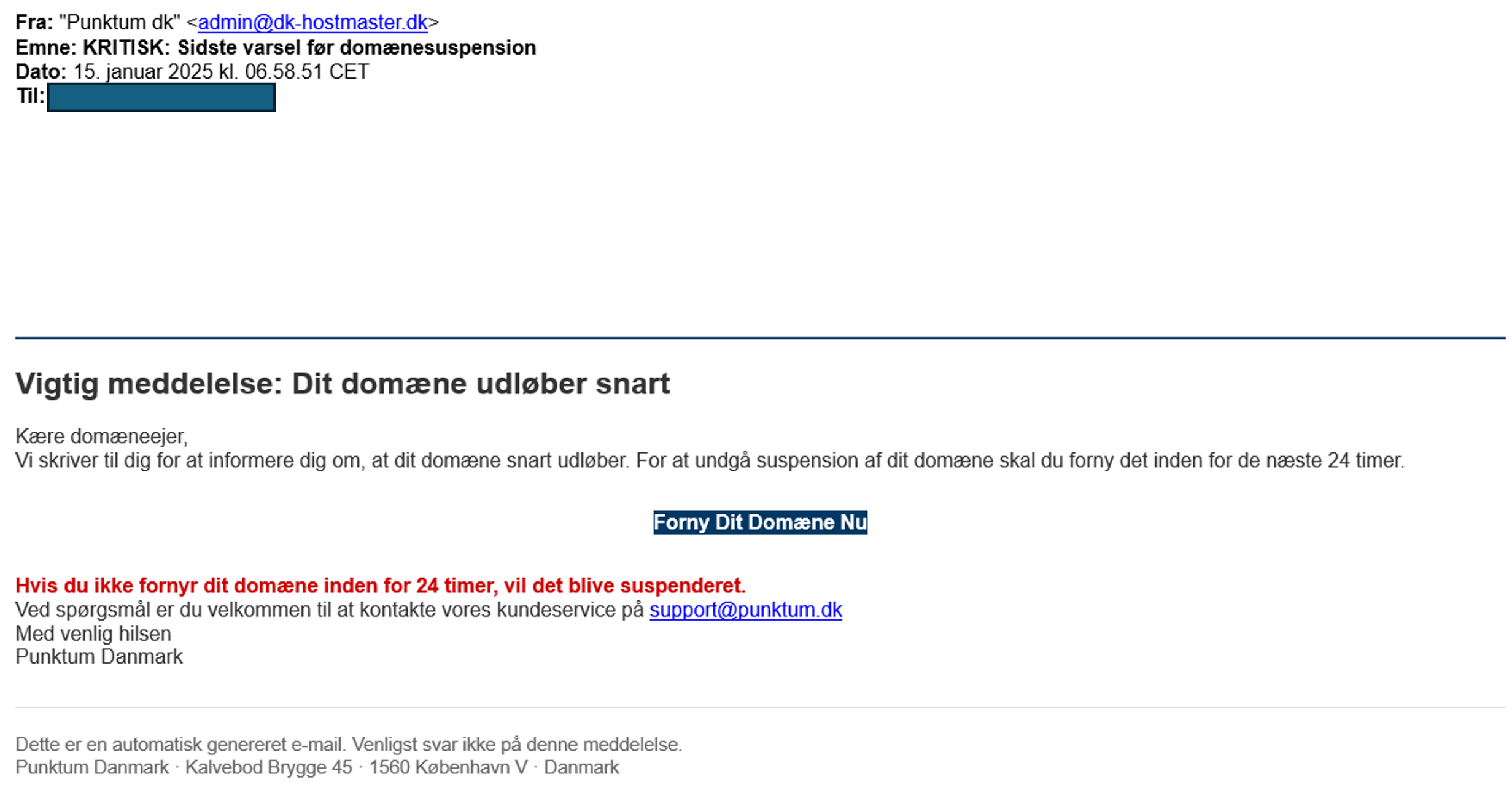
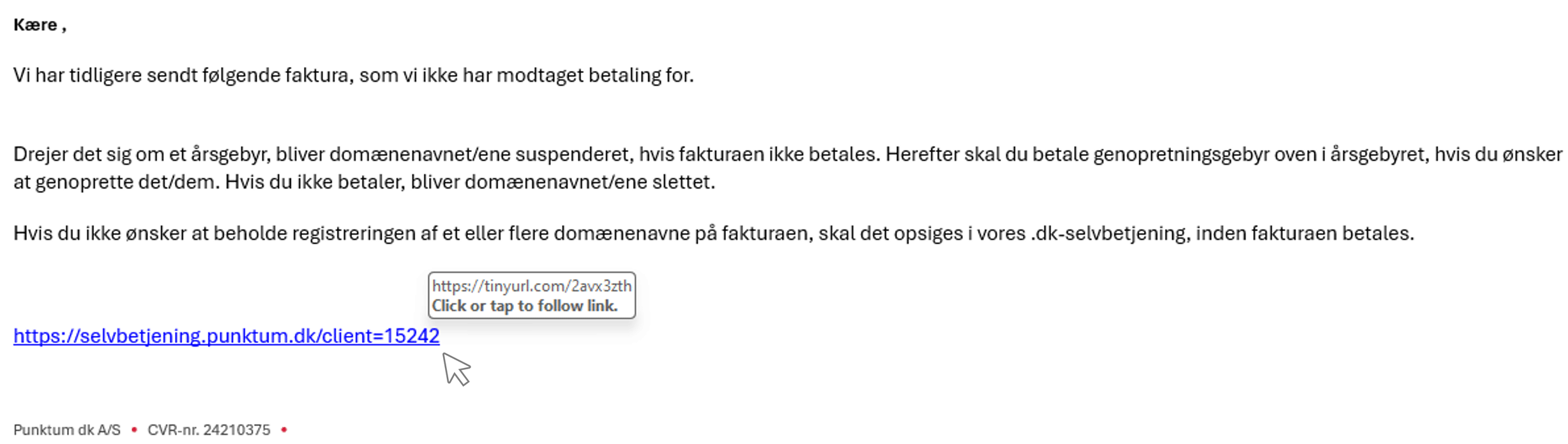

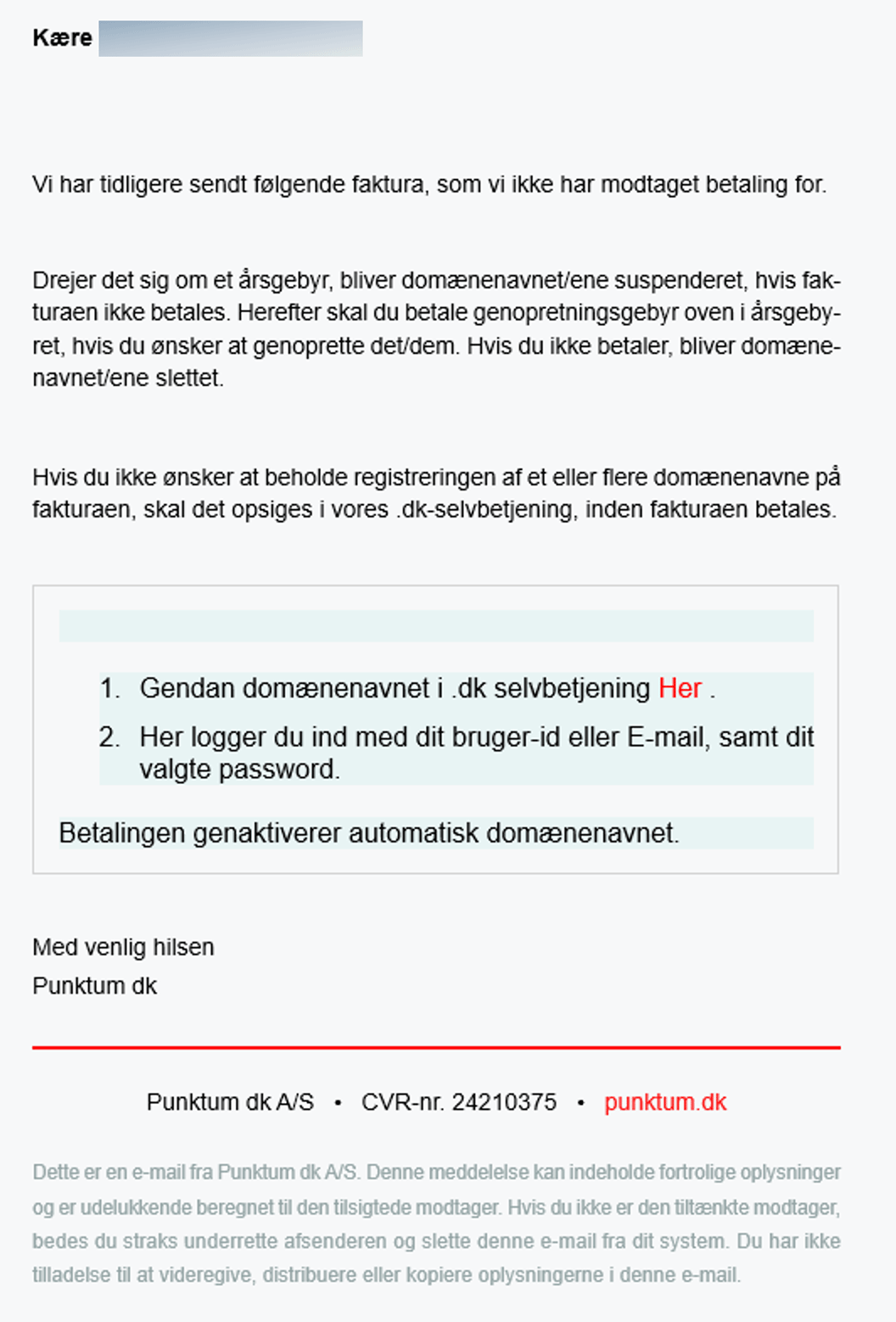

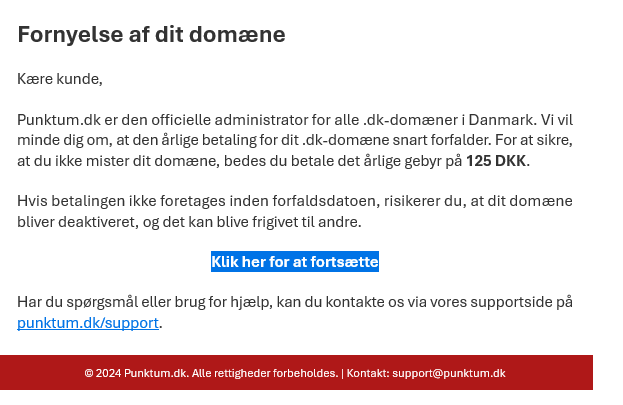
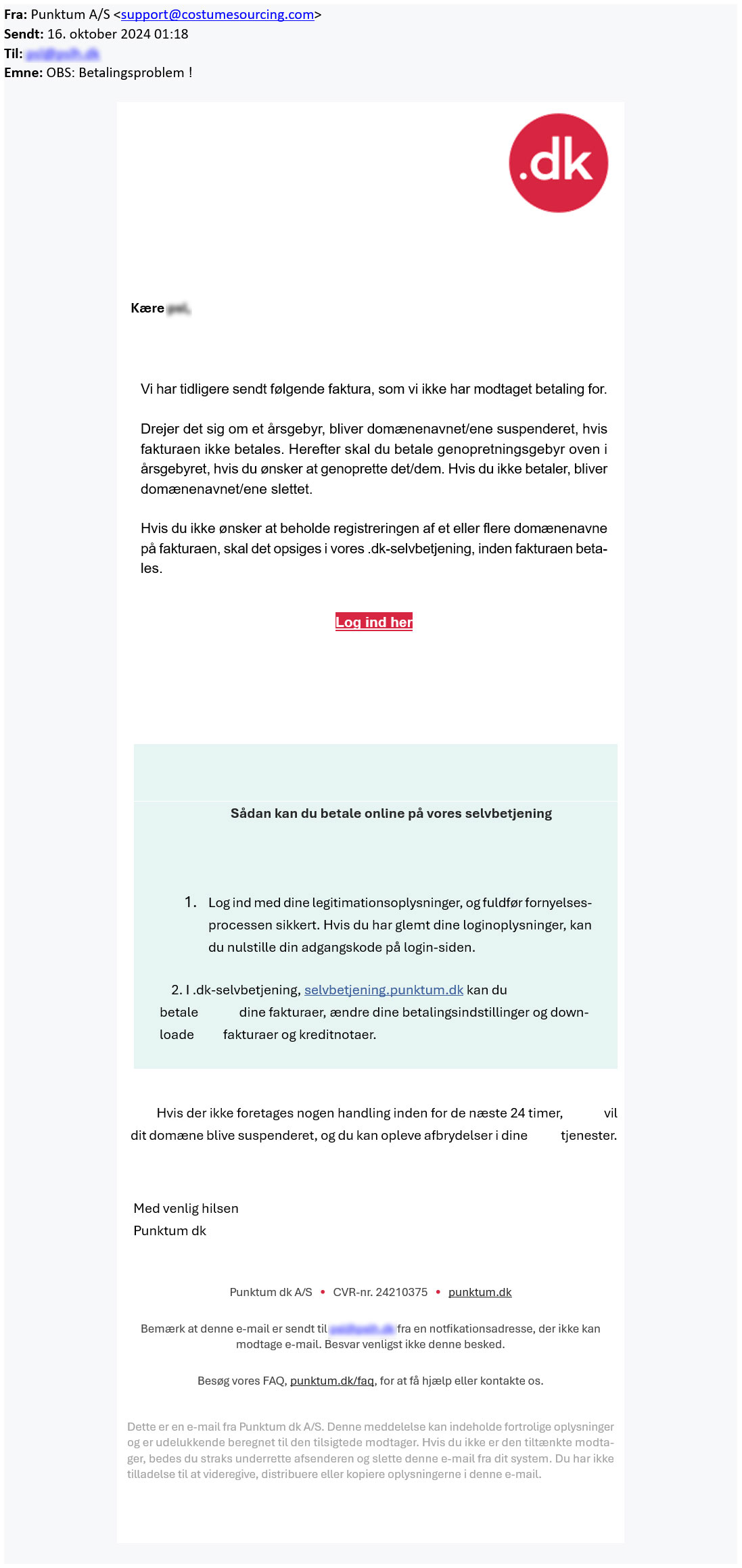
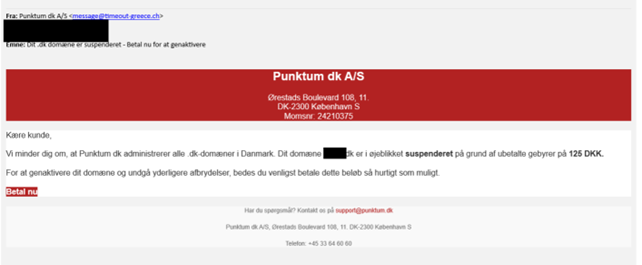
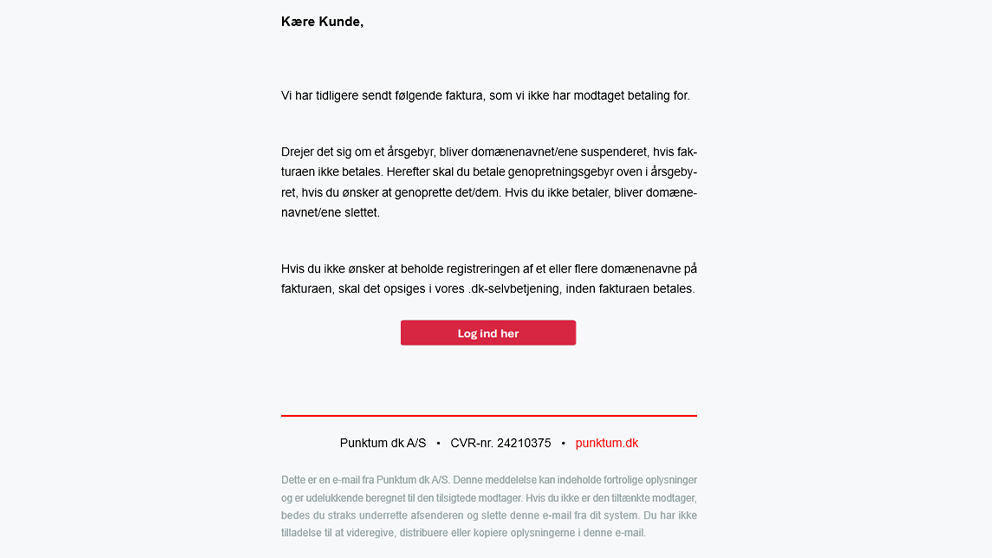
If you have filled in your login information on the fake login page, we recommend that you immediately log in to our self-service portal and change your password.
If you have received a fake email, we would like to see what it looks like. You can forward it to svindel@punktum.dk.
Have you received an email about suspension or payment?
We are also sending out legitimate emails regarding suspension. Therefore, we recommend that you log in to our self-service portal and check whether your .dk domain name has been suspended.
If your domain name is not working, it has likely been suspended. Read more here about what you can do to restore it.
Thank you for your reply
- we are happy about that.
Hmmm, not good...
We will help you - write us.
Did you find the answer useful?
If you still have questions, we are ready to help!