
This is a guide on how to select/deselect the roles of the portal users on the registrar portal. The roles define what actions and functions a portral user has. It is a tool if there is different people who needs to log on the registrar portal but not necessarily perform the same functions.
It is only users with the role Administrator which can add and remove roles under My profile and change the settings of the specific user/users.
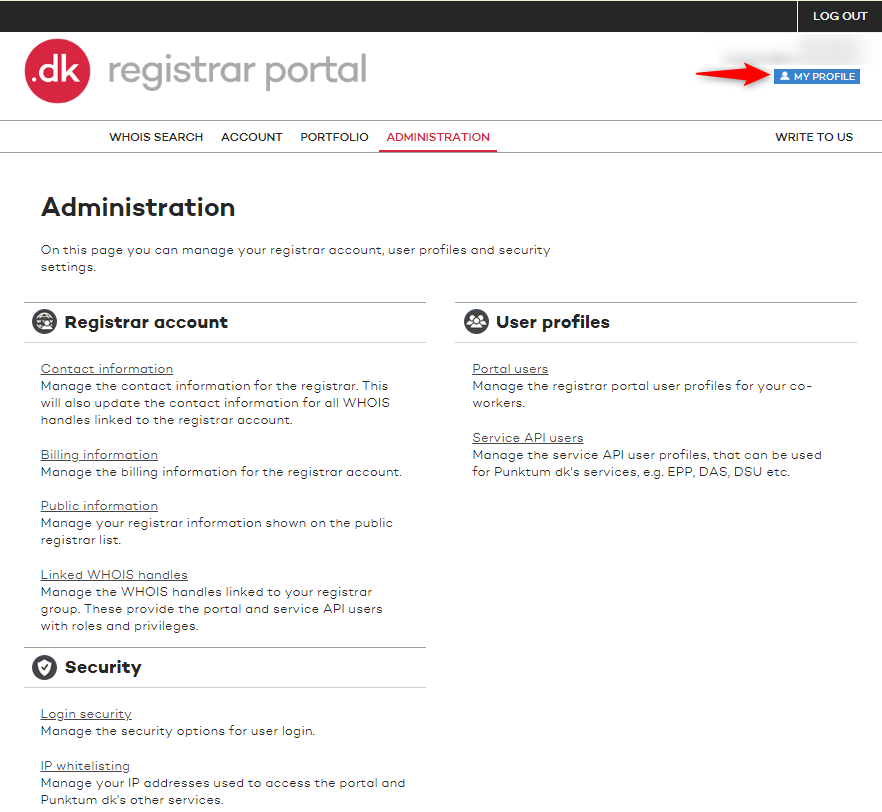
1. Log on the registrar portal. If you have the correct role click on the MY PROFILE.
2. Under MY PROFILE you will have the option to change the name and e-mail of the user. You can also change the users password to the registrar portal and add two-factor authentication.
The different roles can be added and removed. Click on Save.

Administration – Has access to everything, including IP whitelisting, creating other portal users and service API users for EPP and DAS, editing public information about the reseller, and deciding whether 2FA should be required for all portal users.
Portfolio Management – Has access to manage the reseller’s portfolio of domains, customers, and name servers. Does not have access to the “Administration” section of the reseller portal.
Accounting – Has access to all financial information, including invoices, transactions, and payment details.
Tak for det
- det er vi glade for at høre.
Hmmm, det var ikke så godt
- skriv til os
Fandt du svaret nyttigt?
Hvis du stadig har spørgsmål er vi klar til at hjælpe!